Adjust Image Saturation Online with Complete Privacy

Select files

or drag and drop your images here

Enhance, desaturate, or selectively adjust the color intensity of your photos instantly right inside your browser. Image Studio runs entirely on your local device, meaning your images are never uploaded to an external server, keeping your data 100% private. Best of all, it is completely free, has no rate limits, and requires no registration.

Features

Why It's Different

100% Private & Local Processing

Your photos never leave your computer. All rendering and saturation adjustments happen instantly in your browser, keeping your sensitive data fully secure.

Targeted Selective Adjustments

Isolate specific areas of your image using an interactive, drag-and-drop bounding box or precise manual coordinates to apply localized saturation.

Delta or Uniform Control

Choose to shift existing pixel saturation dynamically (from -100 to +100 delta) or set an absolute, uniform saturation level (from 0 to 100) across your selection.

Zero Restrictions

Enjoy professional-grade photo editing tools without watermarks, file size caps, processing queues, or annoying subscription plans.

How-To

How to Adjust Image Saturation

1

Upload Your Image

Drag and drop your photo or click to load it securely from your local drive.

2

Choose Your Mode

Select "Delta" to add or subtract saturation relative to current pixel values (-100 to 100), or "Uniform" to set a flat saturation level (0 to 100).

3

Target Specific Areas (Optional)

Use the interactive on-screen handles or enter precise X, Y, width, and height coordinates to apply the effect to a selected area.

4

Download Instantly

Once you are happy with the vibrant or beautifully desaturated result, click download to save your edited image instantly.

Use Cases

Use It for Anything

Create Selective Color Accents

Desaturate the background of your photo to grayscale while keeping your central subject highly saturated for a stunning "color pop" effect.

Fix Dull & Overexposed Photos

Revitalize washed-out landscape or portrait shots by gently increasing the delta saturation to bring back natural warmth and depth.

Prepare Images for Web & Social Media

Quickly optimize product photos or social graphics to ensure colors look vibrant, balanced, and professional on all screens.

Bring Your Photos to Life

Bring your photos to life with precision color adjustments right now. Start tweaking your image saturation safely, instantly, and completely free of charge with Image Studio.
FAQ

Frequently Asked Questions

How does the selective saturation tool work?
Our tool features an interactive bounding box that you can drag and resize directly on your image preview. You can also input precise numerical coordinates (X, Y, Width, and Height) to apply saturation boosts or desaturation to a highly localized area rather than the entire photo.
What is the difference between Delta and Uniform saturation?
Delta mode adds or subtracts from the existing saturation of each individual pixel, maintaining natural color contrast. Uniform mode sets every pixel in the selected area to the exact same saturation level, which is ideal for creating flat colors or perfect grayscale.
Are my private photos uploaded to any servers?
Absolutely not. Image Studio is a privacy-first web application. All operations are executed locally in your browser using client-side JavaScript, meaning your images never travel over the internet or touch our servers.
Is there a limit on the number of images I can edit?
No, there are no limits, no paywalls, and no registration required. Because the processing runs locally on your own computer, you can edit as many high-resolution images as you want, completely free.

How to Adjust Image Saturation with Precision

Modify the saturation levels of your images using relative boosts or uniform, flat saturation targets. Limit the effect to any custom localized region using manual coordinate inputs or an interactive preview canvas, all processed entirely in your web browser.

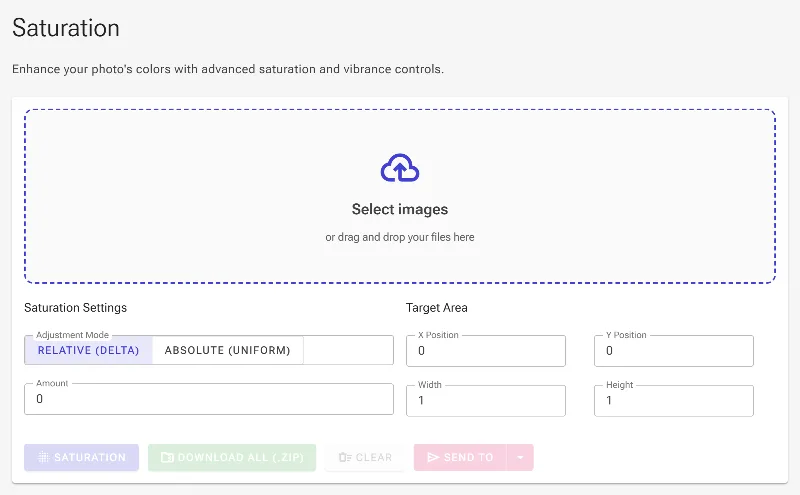
1Open the Saturation Adjuster

Start by navigating to the Adjust Image Saturation tool. The entire image processing pipeline runs locally in your browser, guaranteeing that your files are never uploaded to a remote server.

Open the Saturation Adjuster
The empty workspace ready to accept your image files.

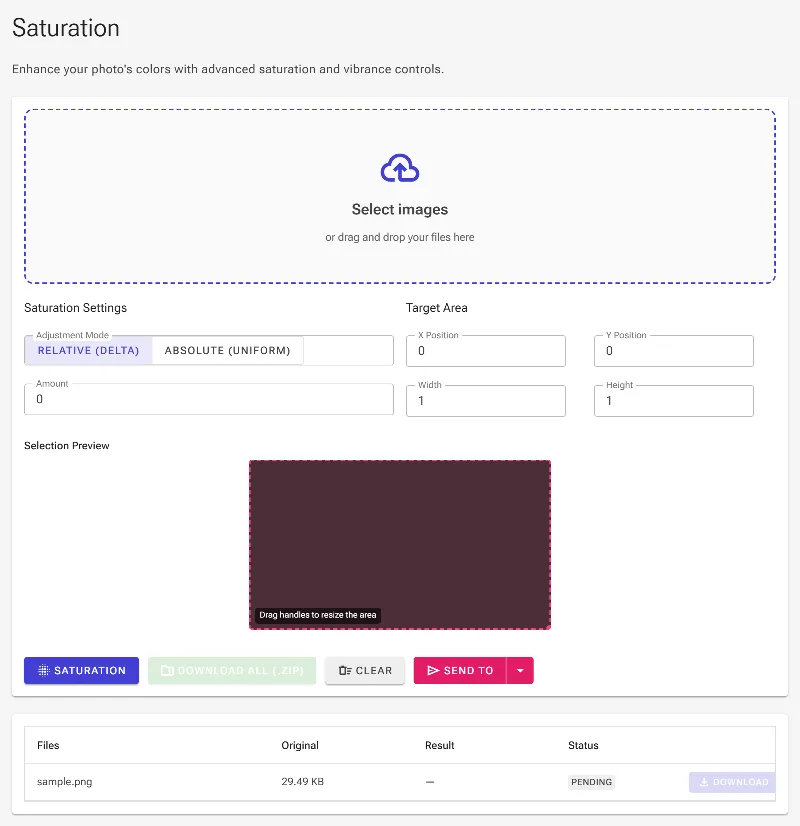
2Upload your images

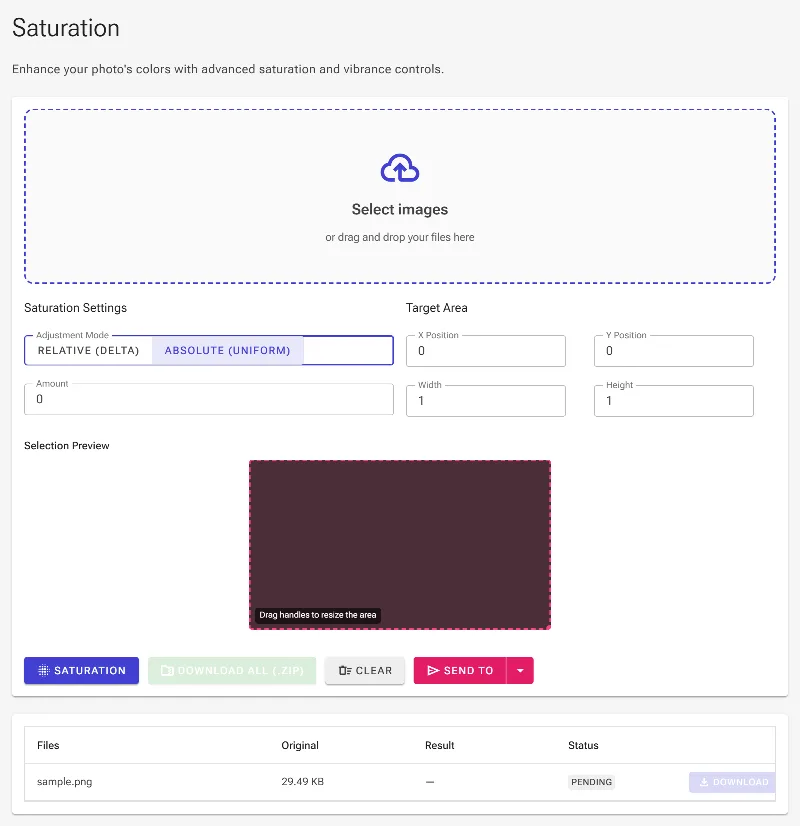
Select or drag and drop your image files into the file picker. Once loaded, the tool activates all configuration panels and renders an interactive preview container at the center of the workspace.

Upload your images
Loading the source image to begin saturation adjustments.

3Select Delta or Absolute mode

Choose between two adjustment modes. Delta mode modifies the existing saturation of each pixel by adding or subtracting an offset value, preserving natural color variations. Absolute mode sets a uniform saturation value for all target pixels, which is ideal for flat color corrections or selective grayscale conversions.

Select Delta or Absolute mode
Selecting Absolute mode to enforce a uniform saturation target.

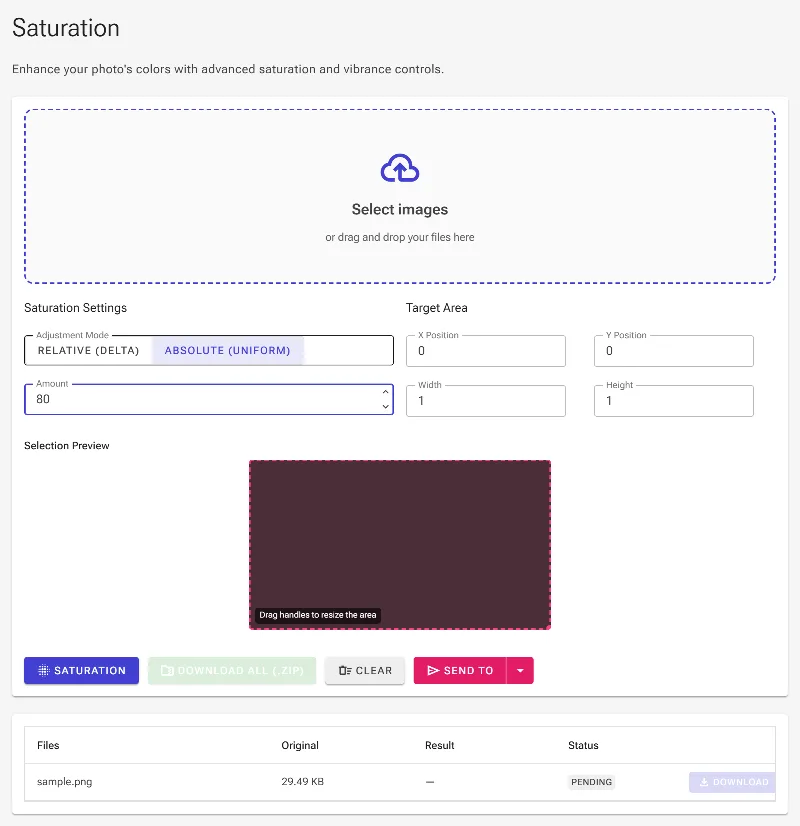
4Set the saturation strength

Set the saturation value in the numeric amount box. If using Delta mode, you can specify values from -100 (fully desaturated gray) to 100 (highly vibrant color addition). If using Absolute mode, specify a target level between 0 and 100.

Set the saturation strength
Setting a target saturation value of 80.

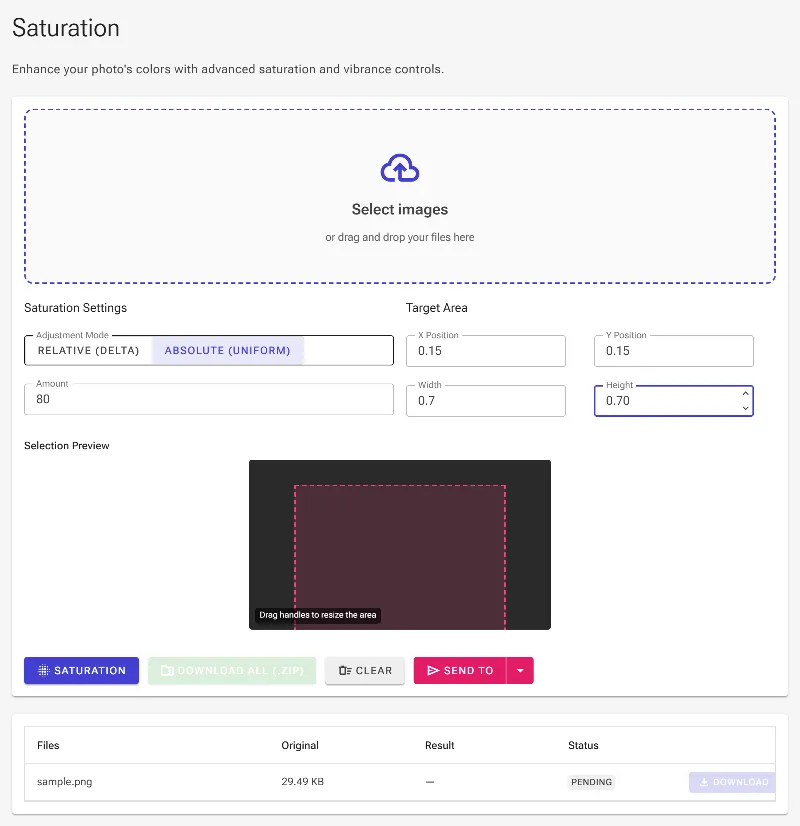
5Define a localized area

Restrict the saturation change to a specific region of the image by inputting percentage ratios (from 0 to 1) for X, Y, Width, and Height. This isolates the modification, allowing you to highlight subjects or selectively desaturate backgrounds. You can also drag directly onto the preview canvas to frame your area.

Define a localized area
Configuring coordinates to apply the saturation adjustment centrally.

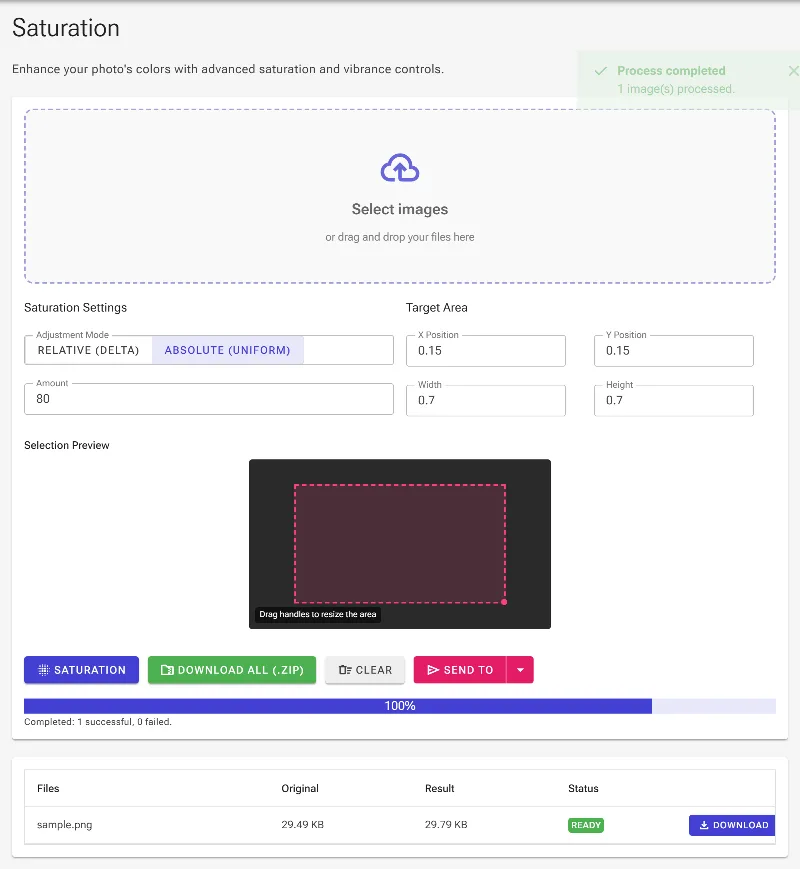
6Apply adjustments and export

Click the process action button to run the local pipeline. Once finished, you can evaluate the updated image in the results grid and download individual outputs or a complete ZIP archive of your batch.

Apply adjustments and export
The localized saturation adjustment applied to the central area.