Free Image Rotator — Rotate Image Online, Private & Unlimited
or drag and drop your images here
Rotate any image online for free, with no limits and no signup. Turn a photo 90 degrees, flip it 180 degrees, straighten a tilted shot at any custom angle, or flip and mirror it horizontally or vertically — then download instantly. Everything runs inside your browser, so your photos never get uploaded to a server and stay completely private.
100% free · Unlimited · No uploads · No watermark · No signup
Why This Image Rotator Is Different
Most free tools upload your photo to servers, limit files, only offer 90-degree turns, or stamp watermarks. This image rotator doesn't.
Your images never leave your browser. Rotating and flipping happen locally. Nothing is uploaded, stored, or shared — your photo stays on your computer or phone the entire time. That makes it safe for ID photos, client work, and anything private.
No limits, no signup, no watermark. Rotate as many images as you want, as often as you want — no file-count cap, no daily quota, and no account. The rotated image downloads clean.
Rotate to any angle, precisely. Use one-click presets for 90° clockwise, 90° counterclockwise, or 180° — or drag the angle slider to rotate to any custom degree (from -180° to +180°) for fine adjustments.
Flip and mirror in one place. Flip an image horizontally to create a mirror reflection, or flip it vertically for a top-to-bottom mirror.
Straighten tilted photos. Nudge the angle a degree at a time to level a crooked horizon or straighten a slightly tilted photo.
Keep your background your way. When you rotate to an angle other than 90° or 180°, choose a transparent background (exported as PNG) or fill the new corners with a solid color.
No quality loss. Rotating by 90°, 180°, or 270° is lossless, and every rotation keeps the original resolution and color depth of your photo.
How to Rotate an Image Online
- Upload your image. Drag and drop a JPG, PNG, WebP, or GIF, or click to select one from your device.
- Rotate or flip. Pick a preset (90°, 180°, 270°), drag the slider to a custom angle, or toggle flip horizontal / flip vertical.
- Download the rotated image. Save your photo instantly in its original format, with no watermark and no quality loss.
No software to install, no plugin, no account — the image rotator works in any browser on Windows, macOS, Linux, Android, and iOS.
Step-by-Step Tutorial: How to Rotate Images Online (With Screenshots)
Follow these five steps to rotate, flip, and mirror your images directly in your browser — no software needed.
1Upload Your Image(s)
Drag and drop one or more files onto the Select images drop zone, or click it to browse. Supported formats: JPG, PNG, BMP, GIF, WEBP (up to 100 MB each).
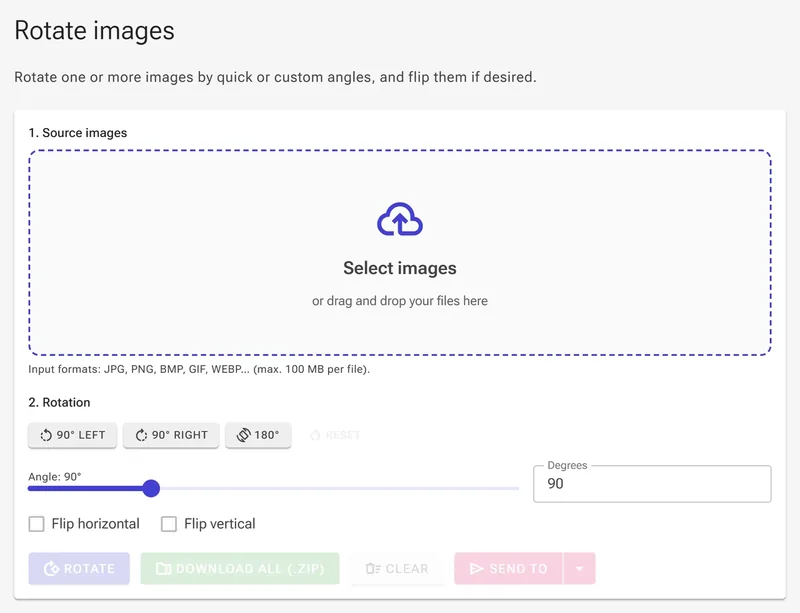
2Choose a Quick Rotation Angle (90°, 180°)
Under 2. Rotation, click 90° LEFT, 90° RIGHT, or 180° to set a standard angle in one click. Use Reset to return to 0°. The angle slider and degree counter stay in sync at all times.
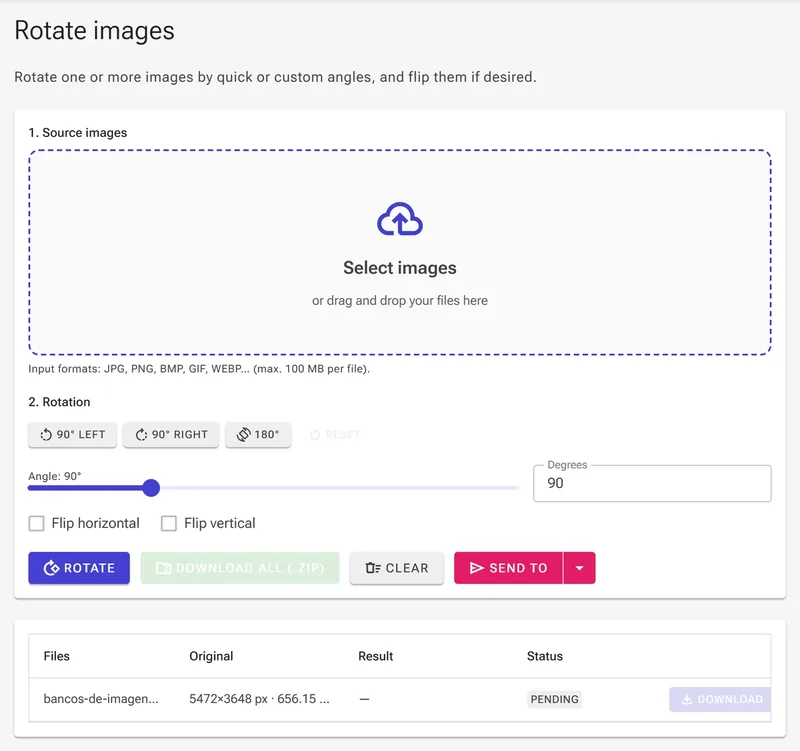
3Set a Custom Free-Rotation Angle
Drag the slider or type any value from 0 to 360 in the Degrees box. When the angle is not a multiple of 90°, empty corners appear; choose Transparent background (PNG/WEBP only) to keep them clear, or pick a Background color to fill them.
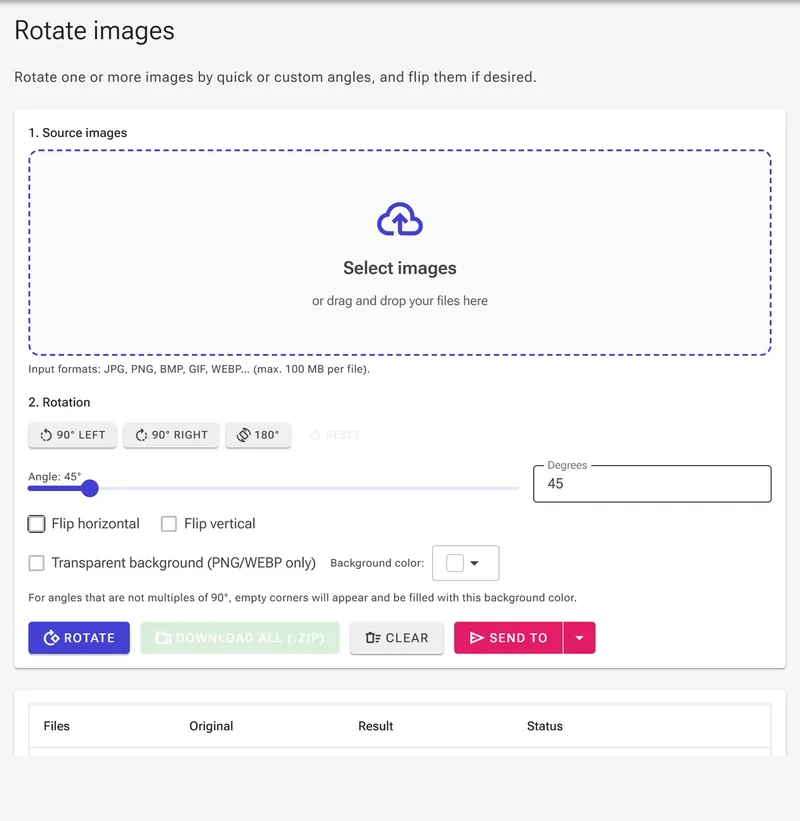
4Mirror with Flip Horizontal / Flip Vertical
Tick Flip horizontal to mirror the image left-to-right (as in a vertical mirror). Tick Flip vertical to flip it top-to-bottom. Both can be combined with any rotation angle.
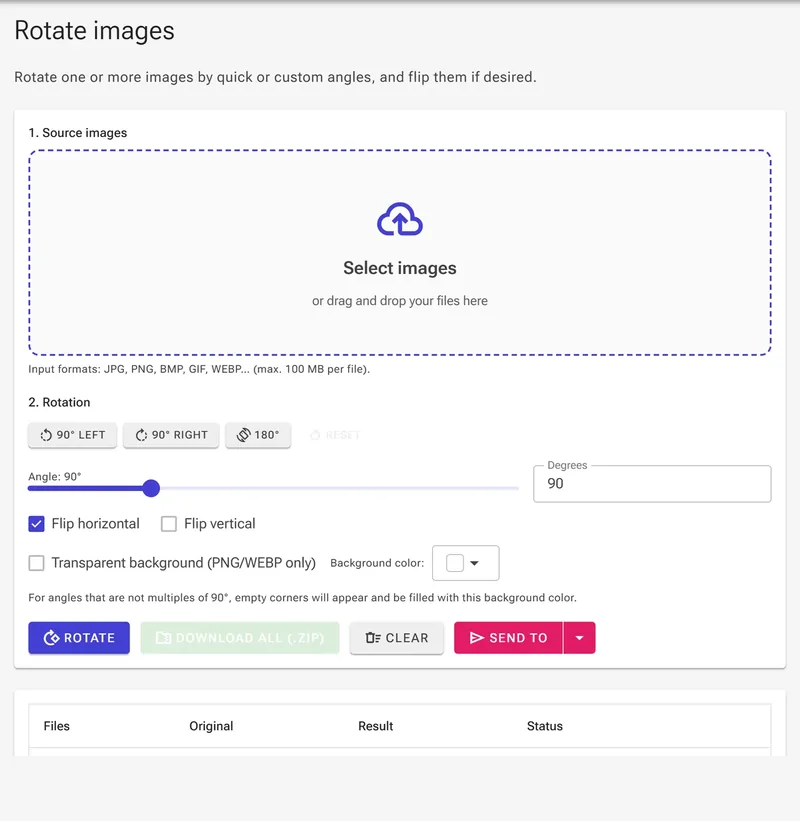
5Click Rotate and Download
Press the Rotate button to process all images. Once done, the result grid shows READY with the new dimensions. Click Download next to each file, or use Download all (.zip) to save everything at once.

Rotate, Flip, and Mirror for Anything
Fixing orientation or reframing a shot is one of the most common photo edits:
- Fix sideways or upside-down phone photos — rotate a picture 90 degrees to switch between portrait and landscape.
- Straighten crooked horizons — use precise 1-degree steps to level a tilted photo without re-shooting.
- Mirror selfies and product shots — flip an image horizontally to reverse it for a natural mirror effect.
- Social media & content — rotate and flip images to fit Instagram, Facebook, TikTok, YouTube, and Pinterest layouts.
- Documents & scans — turn a scanned page or ID photo to the correct orientation before uploading.
- Design & print — mirror or rotate graphics and logos to prepare them for any layout.
Rotate vs. Flip vs. Mirror
Rotating turns an image around its center point, like spinning a wheel. Flipping (mirroring) reflects the image along an axis: a horizontal flip reverses left and right like a mirror, while a vertical flip reverses top and bottom. You can rotate a photo, flip it, or do both together to land on exactly the orientation you want — all in the same tool, all in your browser.